Give your Gantt charts that unique touch you’ve been looking for with Colored Time Blocks!
What are colored time blocks?
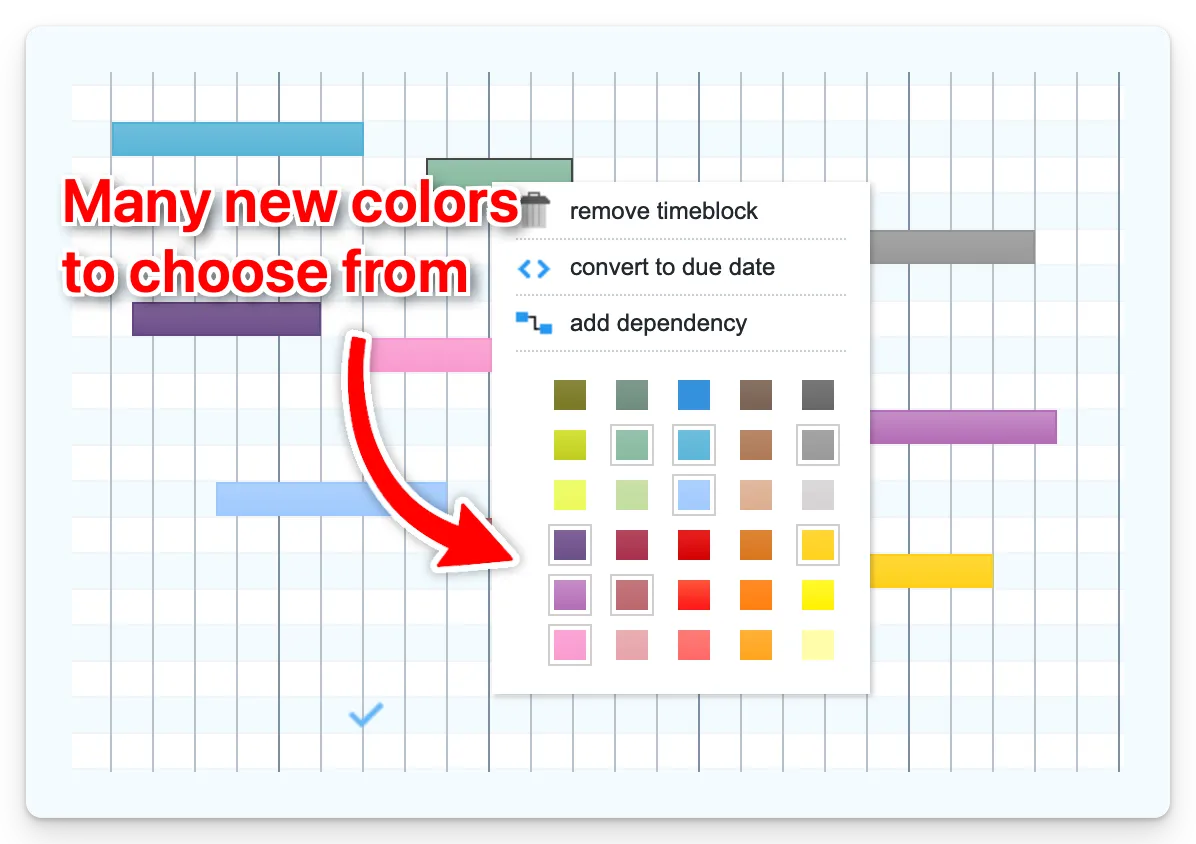
Your time blocks no longer have to wear just two shades. With colored time blocks, you can dress up your time blocks in a whole palette of colors to match your workflow and preferences.
What you can do with colored time blocks
Color-coding opens up many possibilities for organizing your Gantt chart. You might use colors to indicate priority levels: red for urgent tasks, yellow for medium, and green for low priority. Alternatively, assign each team member their own color to quickly visualize workload distribution across your project.
Colors also work well for distinguishing project phases such as planning, execution, review, and delivery. If you’re managing work for multiple clients or departments, colors help you instantly see who the work is for. You can even use them to separate different types of tasks like meetings, development work, and administrative duties.
Ganttify also allows you to set custom labels for each color in the legend. This means you can name your colors to match your workflow, whether that’s “Urgent”, “Design Team”, or “Client A”. Custom labels make your charts immediately understandable to anyone viewing them.
You can also filter your Gantt chart to show only tasks with a specific time block color. This is particularly useful when you want to focus on a single team member’s workload, review all high-priority items, or present a simplified view to stakeholders.
Availability
Colored time blocks are available for all Ganttify users across every integration. Just open any Gantt chart and start customizing your time block colors right away.