What is this comment on my Todoist task?
Update 2023;
This article is archived and no longer relevant. Ganttify does not store any information in the description field of Todoist tasks anymore.
For reference, the old article can be found below.
Chances are that you clicked the "What is this? " link in an odd-looking comment on your Todoist task. Now you ended up here.
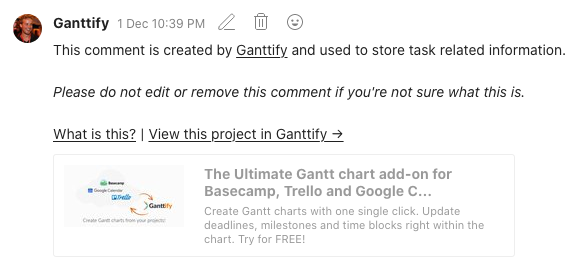
Well, what is this?
The comment you see on your Todoist task contains some extra data that Ganttify uses to properly display your task in the Gantt chart that has been created. If you're unaware of what Ganttify is, a team member of yours probably signed up for the service and created this comment. More information about Ganttify for Todoist can be found here.
Todoist natively (at the time of writing) does not support start dates and/or duration information for tasks. Tasks in your Todoist projects can either have a due date or don't have a due date. When you're trying to make a visual planning (Gantt chart) of multiple Todoist tasks, it can be helpful to see how long a task will take. In Ganttify, you can set a start and end date on a task that represents a time block in the Gantt chart.
Great, now why does Ganttify create this comment?
Since all information about your project always stays with you (Ganttify does not store project information on our own servers), we needed a way to store information about a task, such as duration and start date, without interrupting the user experience of Todoist by for instance changing a task name. Behind the scenes, the comment you see on your Todoist task contains this information Ganttify needs.
If you have any other questions, you can always use the search bar at the top of this page or contact support directly.